 Free Shipping Over $50
  888-432-8363


 Obituary/Programs
 No-Fold Memorial Programs
 4 Page Funeral Programs
 8 Page Memorial Programs
 12 Page Funeral Programs
 16 Page Funeral Programs
 20 Page Funeral Programs
 Tri-Fold Funeral Programs
 Complete Memorial Packages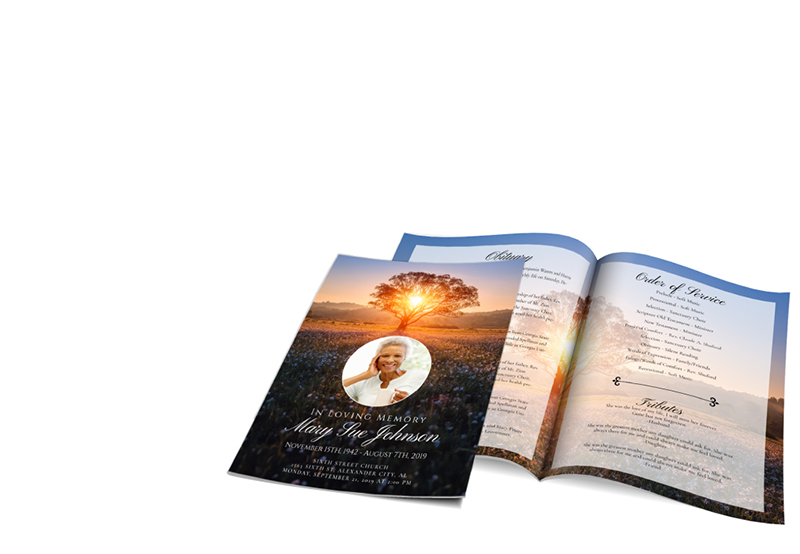
 Cards & Bookmarks
 Saint Prayer Cards
 Folded Memorial Cards
 Folded Holy Cards
 Memorial Bookmarks
 Thank You Cards
 Share-A-Memory Cards
 Memorial Magnets
 Memorial Posters
 Guest Books
 Slide Shows
 Memorial Fans
 Death Announcements
 Take Away Keepsakes
 Church Products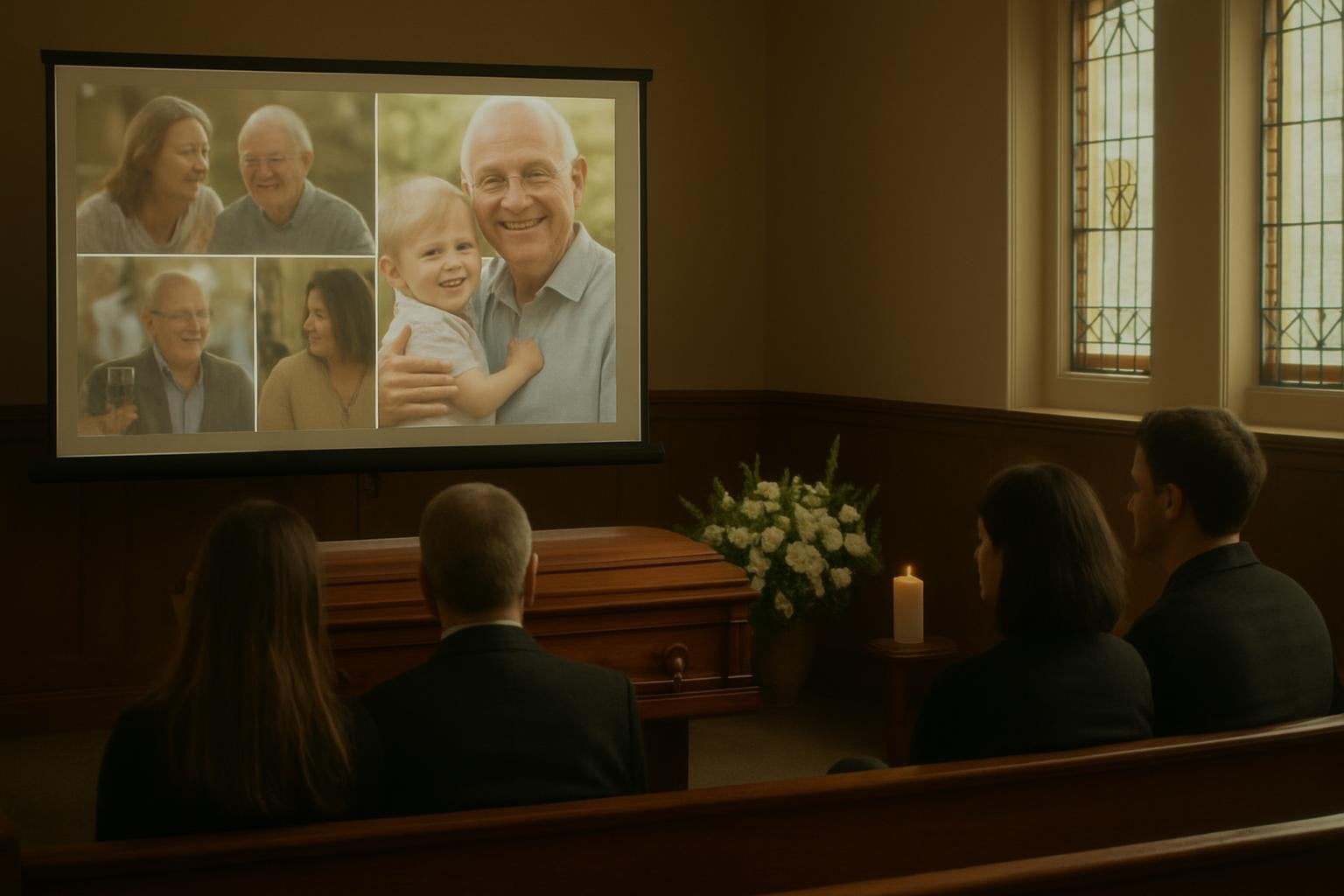
Introduction
During times of grief and loss, we understand how challenging it can be to navigate through the complexities of planning a memorial service. In the midst of sorrow, you are expected to make decisions and arrange details that can feel overwhelming. One meaningful and impactful way to honor your loved one is through the creation of a memorial slideshow, a touching tribute that can provide comfort and solace amid the sorrow. This guide will help guide you through the process of creating a memorial slideshow that truly encapsulates the spirit of your loved one.
Creating a memorial slideshow is not just about compiling pictures together; it is about telling a story—a story of life, love, and memories. It is a visual journey that allows you to share the essence of your loved one with others, offering a glimpse into their life and the moments that defined them. This slideshow can be paired with funeral programs, such as our bi-fold programs or tri-fold programs, to provide a comprehensive tribute during the memorial service.
In this guide, we will cover important aspects of creating a memorial slideshow, including photo selection, music choices, timing, and how to pair the presentation with printed memorial materials. We hope this guide will be a helpful resource as you craft a tribute that celebrates the life of your loved one.
Our team at DisciplePress is here to support you during this challenging time. Our goal is to make the process of planning a memorial service a little less daunting and a lot more manageable.
Choosing the Right Photos
The heart of a memorial slideshow lies in the photos you select. These images are the visual representation of your loved one’s life, and as such, they should be selected with care. Start by gathering a variety of photos that depict different stages of their life—childhood, adolescence, adulthood, and their later years. Include pictures from special occasions, trips, and everyday moments that capture their personality and spirit.
At DisciplePress, we understand the importance of honoring your loved one’s memory. We offer Memorial Cards, Folded Memorial Cards and Large Memorial Cards to help you create meaningful tributes.
High-quality, clear photos are best for a slideshow. If you have older photos that are not in the best condition, consider getting them professionally restored. DisciplePress offers a range of custom design services that can assist with photo restoration and enhancement, ensuring your memories are preserved in the best possible way.
Remember to also include pictures that involve family and friends. Group photos can invoke strong emotions and fond memories, providing comfort to those viewing the slideshow. These photos can strengthen the sense of community and shared mourning during the memorial service.
The number of photos you choose depends on the length of your slideshow. As a rule of thumb, each photo should be displayed for about 4-6 seconds. Therefore, for a five-minute slideshow, you would need approximately 50-75 photos. This allows for a comfortable pace that gives viewers enough time to absorb each image.
Selecting Meaningful Music
Music is a powerful tool that can evoke emotions and memories, making it an essential component of your memorial slideshow. The music you select should reflect your loved one’s taste, or evoke a particular sentiment or memory associated with them. It could be a favorite song, a melody from a memorable event, or a tune that they often hummed.
Consider the tone of the music. You could opt for more somber, reflective tunes, or choose uplifting, celebratory melodies that focus on the joy of their life rather than the sadness of their passing. If you’re unsure, a combination of both can provide a balanced and comprehensive tribute.
When selecting music, be mindful of the length of the songs in relation to the duration of the slideshow. You may need to trim the tracks or use multiple songs to fit the timing of the slideshow.
If you’re having trouble finding the right song, DisciplePress has a Funeral Poems Collection and a Bible Verses Collection that you could consider setting to instrumental music. These collections can provide comforting words and sentiments during this difficult time.
Setting the Pace and Sequence
Once you have your photos and music selected, the next step is to decide the sequence and pace of the slideshow. A well-organized slideshow tells a story, so consider arranging the photos chronologically. This allows viewers to follow the journey of your loved one’s life, from their early years to their last moments.
We’re committed to supporting you through this difficult time with meaningful memorial resources. We offer Large Memorial Cards, Memorial Bookmarks and Funeral Programs to help you create meaningful tributes.
The pace of the slideshow should match the rhythm of the music. As mentioned before, each photo should ideally be displayed for 4-6 seconds. However, this isn’t a strict rule. You may want to linger a little longer on certain photos, or transition quickly between others. The key is to ensure the pace feels natural and allows viewers to fully absorb each image.
Transitions between photos can also add depth to your slideshow. Simple fades or dissolves can be a tasteful choice. Try to avoid overly complex transitions that can distract from the photos.
Consider adding captions or titles to some photos. This could be a memorable quote, a significant date, or a simple description. Make sure the text is large enough to read and doesn’t obscure the photo.
Pairing the Slideshow with Printed Memorial Materials
A memorial slideshow can be beautifully paired with printed memorial materials to provide a comprehensive tribute. At DisciplePress, we offer a variety of memorial printing services that can complement your slideshow.
Consider using a photo from the slideshow as the cover of your funeral program. This creates a visual connection between the printed materials and the slideshow, providing a cohesive experience for attendees. You can choose from our range of program types, including bi-fold programs, tri-fold programs, and booklet programs.
You could also include a QR code in the printed program that links to an online version of the slideshow. This allows attendees to revisit the slideshow at their own pace and in their own time. For memorial cards, you could use a photo from the slideshow and a brief, touching message or quote.
Remember, the goal of these printed materials is not only to provide information about the service but to serve as a tangible keepsake for attendees to remember your loved one.
Conclusion
Creating a memorial slideshow is a labor of love. It can be an emotional journey, but it’s also a beautiful opportunity to reflect on your loved one’s life and the memories you shared. By following these guidelines, you will create a touching tribute that not only honors your loved one but also provides comfort to those in mourning.
We hope this guide has provided you with practical tips and helpful advice. We understand that this is a challenging time, and we are here to support you. Whether you need assistance with photo restoration through our custom design services, or same-day printing for your funeral programs, our team at DisciplePress is ready to assist.
Planning a memorial service is a daunting task, but remember, you are not alone. We are here to help you every step of the way, providing guidance, support, and compassionate care. Our aim is to help you craft a meaningful and comprehensive tribute to your loved one that truly encapsulates their life and spirit.
As you navigate this challenging journey, we hope you find comfort in the memories you shared and the love you carry forward. We are here for you, ready to assist in any way we can. Learn more about DisciplePress and our commitment to serving families. Browse our design gallery for inspiration. For personalized assistance, please contact us.