 Free Shipping Over $50
  888-432-8363


 Obituary/Programs
 No-Fold Memorial Programs
 4 Page Funeral Programs
 8 Page Memorial Programs
 12 Page Funeral Programs
 16 Page Funeral Programs
 20 Page Funeral Programs
 Tri-Fold Funeral Programs
 Complete Memorial Packages
 Cards & Bookmarks
 Saint Prayer Cards
 Folded Memorial Cards
 Folded Holy Cards
 Memorial Bookmarks
 Thank You Cards
 Share-A-Memory Cards
 Memorial Magnets
 Memorial Posters
 Guest Books
 Slide Shows
 Memorial Fans
 Death Announcements
 Take Away Keepsakes
 Church Products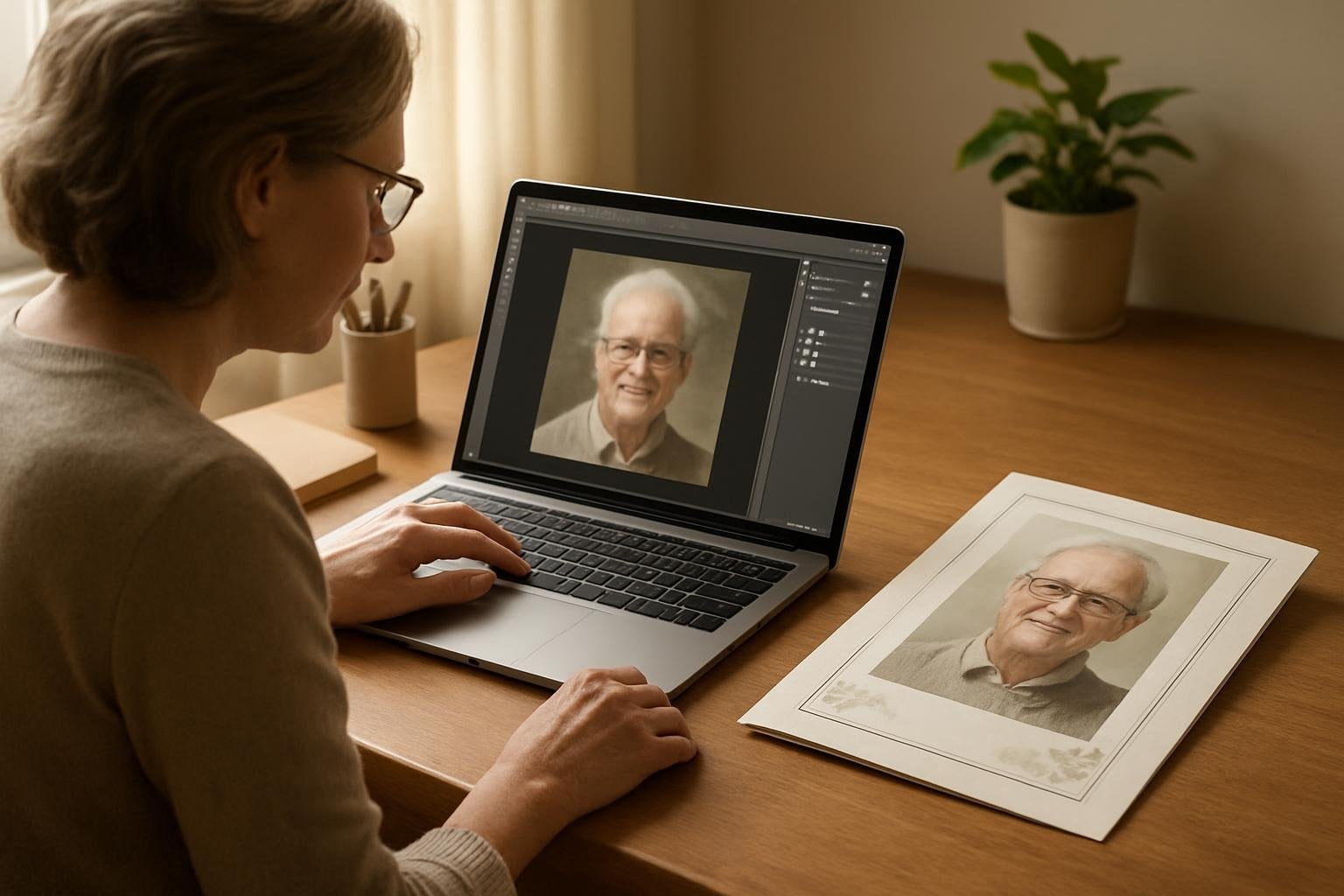
Introduction: Honoring Memories with Clarity and Care
Grief is a journey no one chooses, yet when we find ourselves planning a loved one’s funeral or memorial, we want every aspect to be as beautiful and meaningful as possible. Including a cherished photo in an obituary or a funeral program is often one of the most heartfelt ways to honor a life. Yet, families sometimes discover that the only available photo is blurry or low-resolution, adding an extra worry at an already difficult time. If you’re searching for how to fix a blurry obituary photo, please know you’re not alone, and support is available.
At DisciplePress, we understand how precious these images are. They aren’t just pictures—they’re a bridge to memories, a comfort to those who mourn, and a lasting tribute in keepsakes like memorial bookmarks, prayer cards, and a wide variety of funeral programs (including bi-fold, tri-fold, and multi-page options). That’s why we’re dedicated to helping you present your loved one’s photo with the respect and clarity it deserves.
This article will gently guide you through practical steps to improve blurry or low-resolution photos before printing obituaries or creating memorial items. We’ll explore free and paid software solutions, recognize when a photo can truly be enhanced, and offer compassionate advice for situations where restoration isn’t possible. Along the way, you’ll find actionable tips, real-life examples, and reassurance for every step.
We hope this guide brings clarity, comfort, and confidence as you honor your loved one’s memory. Whether you’re planning a celebration of life program, designing memorial cards, or preparing rush orders with a tight turnaround time, we’re here to help you navigate every detail with care.
Understanding Blurry and Low-Resolution Photos: What Causes the Problem?
Before we discuss how to fix a blurry obituary photo, it’s helpful to understand why these issues occur. Blurriness can be caused by several factors—camera movement, an out-of-focus lens, or a poor-quality digital file. Low-resolution images result from photos taken with old cameras, screenshots, or images saved from social media, which often compress files and strip away important detail.
DisciplePress is dedicated to helping families honor their loved ones with dignity and care. We offer Memorial Bookmarks, Funeral Programs and Prayer Cards to help you create meaningful tributes.
For example, you may have a treasured but old photograph of your loved one, scanned years ago at a low resolution. Or perhaps the only available image is a group photo cropped down to their face, resulting in a pixelated or fuzzy look. These situations are common, especially when time is short or when original photos are hard to locate.
Understanding these causes helps set realistic expectations. While many blurry or low-resolution photos can be improved, some limitations may remain. It’s also important to know that enlarging a small or poor-quality image will usually make it look worse, not better, unless enhancement techniques are applied.
DisciplePress works with all kinds of photo sources for funeral programs—from bi-fold programs to 8-page programs and memorial bookmarks. Our experience has shown that, with the right tools and care, many images can be gently restored to honor your loved one with dignity.
Throughout this guide, we’ll provide practical steps and honest advice to help you make the most of the photo you have, while acknowledging the emotional weight each image carries.
Assessing Your Photo: Can It Be Fixed?
The first step in restoring an image is honest assessment. Before investing time in editing, take a close look at your photo on a computer screen at 100% zoom. If the face is recognizable and details are present, even if slightly soft or pixelated, there’s a good chance it can be improved for print on funeral programs or memorial cards.
Ask yourself: Is the blurriness caused by motion (everything is streaked) or is it simply a little soft? Are there large areas of missing detail, or is the issue mostly with sharpness? If the image looks severely distorted, or if it’s a tiny file (less than 500 pixels wide), enhancement may be limited. However, modern photo tools can often work wonders with moderately blurry or low-resolution images.
A helpful tip is to print the photo on your home printer at the size you’d like it to appear in your program or card. Sometimes an image that looks poor on screen prints surprisingly well at a smaller size—especially for prayer cards, folded memorial cards, or memorial bookmarks. If you’re unsure, reach out to us at DisciplePress for a professional opinion; our custom design services can assess and advise on your specific image.
If you have multiple versions of the same photo—such as the original file, a scanned copy, or a social media download—always use the highest quality version available. Remember, even if a photo seems unsalvageable, combining it with a favorite quote or a background design can create a meaningful tribute in celebration of life programs or funeral home partnerships.
Taking the time to assess your image allows you to make informed decisions, balancing technical possibilities with the emotional significance of the photo you cherish.
Free Tools and Techniques for Enhancing Photo Quality
If you’re looking to fix a blurry obituary photo without purchasing software, there are several accessible tools that can help. Many families want to handle image improvements themselves, especially when time or budget is limited. Free online and desktop applications can provide surprising results with a gentle touch.
DisciplePress is dedicated to helping families honor their loved ones with dignity and care. We offer Prayer Cards, Memorial Cards and Celebration of Life to help you create meaningful tributes.
One of the most approachable options is Pixlr (pixlr.com), a browser-based editor with sharpening and clarity tools. Upload your photo, use the “sharpen” and “clarity” sliders sparingly, and preview the result at your intended print size. Another excellent tool is GIMP (GNU Image Manipulation Program), a free desktop application that offers advanced editing functions like “Unsharp Mask” and “High Pass Filter” for careful sharpening.
For images scanned from prints, try increasing clarity and contrast slightly to define features. Cropping out damaged or overly blurry sections can also improve the overall appearance, especially for funeral program covers or large memorial cards. If the image is dark, use the brightness and contrast adjustments to gently enhance facial features without overexposing highlights.
A helpful tip: Always save a copy of your original photo before making changes. Experiment with small adjustments, printing test versions to see how they look on paper. Remember that even a modest improvement can make a cherished photo suitable for a bi-fold program or a memorial bookmark.
If you encounter challenges or are unsure how to proceed, our team at DisciplePress is happy to provide advice or assist with enhancements as part of our custom design services. Compassion and expertise are always available when you need an extra hand.
Paid Software Solutions and Professional Enhancement
For families who have access to paid tools or who want a higher level of control, there are several robust software options for enhancing blurry or low-resolution photos. Investing in professional-grade applications can be especially worthwhile if your loved one’s photo will be featured prominently in an 8-page program, celebration of life program, or as the centerpiece of a memorial poster.
Adobe Photoshop remains the industry standard for photo repair, offering advanced features like smart sharpening, noise reduction, and AI-powered upscaling. The “Camera Raw” filter allows for precise adjustments to clarity, texture, and sharpness. Another excellent option is Topaz Photo AI, which uses artificial intelligence to intelligently enhance detail and reduce blur—particularly effective for small or soft images.
If you have limited editing experience, Adobe Lightroom offers user-friendly sliders for sharpness, contrast, and noise reduction. These tools can significantly improve a slightly blurry photo, especially when preparing images for high-quality tri-fold programs or memorial cards. Many of these applications offer free trials, allowing you to test their capabilities before making a purchase.
For those seeking peace of mind, professional photo restoration services are available. At DisciplePress, our custom design services include photo enhancement and gentle retouching. We’ve helped countless families transform treasured but flawed photos into clear, beautiful images suitable for printing on memorial bookmarks, funeral programs, and prayer cards.
Choosing paid solutions can be a meaningful investment in your loved one’s legacy, ensuring their memory is honored with the utmost care and clarity for generations to come.
Best Practices for Saving and Exporting Your Image
Once you’ve enhanced your photo, proper saving and exporting are crucial for maintaining quality during the printing process. Even the most skillfully improved image can lose detail if exported with the wrong settings. Always save your final photo as a high-quality JPEG or PNG, avoiding excessive compression that can introduce new artifacts.
Set your image resolution to at least 300 DPI (dots per inch) for print. This standard ensures that photos look crisp and detailed on funeral programs—whether bi-fold, 8-page, or 20-page programs—as well as on memorial cards and memorial bookmarks. If you’re unsure about sizing, remember: a 4×6 inch print at 300 DPI requires an image of 1200 x 1800 pixels.
Avoid resizing your photo larger than its original dimensions, as this can reintroduce blurriness. If your final image is still smaller than the desired print size, consider using it as a smaller inset or combining it creatively with other design elements—such as a background, border, or memorial quote—on your funeral program.
It’s also wise to keep a backup of your edited image in a lossless format like TIFF or PNG, in case further adjustments are needed. When uploading your photo to DisciplePress for printing or design, always choose the highest resolution version available to ensure the best results.
Taking these steps preserves the hard work you’ve put into enhancing your loved one’s photo, ensuring it prints beautifully and stands as a fitting tribute in every keepsake.
Knowing When a Photo Cannot Be Salvaged—and Loving Alternatives
Despite the best efforts and tools, some photos may remain too blurry or damaged to restore fully. This can be an emotional realization, especially when the image holds deep sentimental value. If you find yourself in this situation, please know that your love and intention matter far more than technical perfection.
If the photo cannot be used as a main portrait in a funeral program or memorial card, consider creative alternatives. Use the image as a faded background, a silhouette, or as part of a collage alongside clearer photos. Sometimes, pairing a cherished but blurry photo with a favorite quote, a scripture from our Bible Verses Collection, or a poem can create a uniquely touching tribute.
Another option is to request a custom design service from DisciplePress. Our designers can incorporate your photo in a way that honors its importance while minimizing technical flaws—such as using it on the back cover of an 8-page program or as a subtle motif on a memorial bookmark.
Remember, it’s the love and memories behind the photo that truly matter. Choosing to include a less-than-perfect image, or finding a creative alternative, is a testament to the enduring connection you share with your loved one. Your efforts are a beautiful act of remembrance, whatever form they take.
If you’re ever in doubt or need support, contact us—we’re here to help you find the most meaningful and respectful way to celebrate your loved one’s life.
Working with DisciplePress: Support, Options, and Expert Guidance
At DisciplePress, we know that every photo tells a story and every family’s situation is unique. Our range of funeral programs—from bi-fold and tri-fold to 12-page, 16-page, and 20-page programs—ensures you’ll find the perfect format for your tribute. When time is short, our same-day printing, rush orders, and reliable turnaround time are here to gently support you.
If you’re unsure how to proceed with a blurry or low-resolution photo, our custom design services are available to help. We can assess your image, provide honest feedback, and suggest the most respectful ways to present it—whether on memorial bookmarks, prayer cards, or as part of a celebration of life program.
Our online ordering system makes it easy to upload your photo and specify your needs. We’ll always reach out if we notice a quality issue, and we’re committed to working with you until you’re satisfied with the result. Our Design Gallery showcases examples of how we’ve honored families like yours, and our customer testimonials reflect our dedication to quality and compassion.
We understand that this process can feel overwhelming. Our team is always available to answer questions, provide reassurance, and ensure every detail is handled with the utmost care and respect. Your loved one’s memory deserves nothing less.
Whether you’re preparing memorial cards, funeral programs, or unique keepsakes, we’ll walk with you every step of the way.
Practical Tips and Gentle Reminders for Families and Funeral Directors
Navigating photo restoration during a time of loss can feel daunting, but small steps and gentle patience can make a world of difference. Here are several practical tips to help you along the way, whether you’re a family member, a friend, or a funeral director assisting others.
First, gather all available versions of the photo, including scanned prints, old emails, or files saved on devices. Sometimes a better-quality image is tucked away in a forgotten folder or shared by a relative. If possible, ask others for help—someone may have a higher-resolution copy or a different favorite photo.
Second, try to work with the original file rather than screenshots or social media downloads. These are often compressed and low-quality. When scanning prints, use the highest resolution your scanner allows (at least 300 DPI). For images intended for funeral programs or memorial bookmarks, even small improvements can be meaningful.
Third, don’t hesitate to ask for professional support. Many families find peace of mind by relying on DisciplePress’s custom design services, especially for rush orders or when time is precious. Our team can help ensure your photo is as clear and respectful as possible for the intended product, whether it’s a prayer card, 8-page program, or memorial card.
Finally, remember to be gentle with yourself. The process of honoring a loved one is emotional and sometimes challenging. No matter the outcome, your care and intention will shine through in every detail.
Related Articles
Conclusion: Honoring Every Memory with Compassion and Clarity
Restoring and preparing a photo for an obituary or memorial print can feel like a daunting task, especially during a period of grief. Yet, every effort you make—whether it’s a small improvement or a creative alternative—reflects your deep love and respect for your loved one’s memory.
We hope this guide has gently shown you how to fix a blurry obituary photo, from understanding the causes of image quality issues to exploring free and paid solutions, and knowing when it’s time to seek support or consider alternatives. Every family’s journey is unique, and every photo carries its own story and significance.
At DisciplePress, we are honored to walk alongside you. Our wide range of funeral programs, memorial bookmarks, prayer cards, and custom design services are always available to ensure your tribute is as meaningful and beautiful as possible. If you need guidance, reassurance, or expert help, please contact us—our team is here with warmth and understanding.
As you move forward, remember that perfection is not the true goal. What endures is the love you share, the memories you preserve, and the legacy you carry on. With care, compassion, and a gentle touch, every photo can become a beacon of remembrance and hope.
Learn more about DisciplePress and our commitment to serving families. For personalized assistance, please contact us. We offer rush orders and same-day printing for urgent needs.