
 Free Shipping Over $50
  888-432-8363


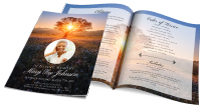 Obituary/Programs
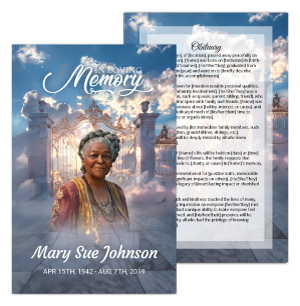 No-Fold Memorial Programs
 4 Page Funeral Programs
 8 Page Memorial Programs
 12 Page Funeral Programs
 16 Page Funeral Programs
 20 Page Funeral Programs
 Tri-Fold Funeral Programs
 Complete Memorial Packages
 Cards & Bookmarks
 Saint Prayer Cards
 Folded Memorial Cards
 Folded Holy Cards
 Memorial Bookmarks
 Thank You Cards
 Share-A-Memory Cards
 Memorial Magnets
 Memorial Posters
 Guest Books
 Slide Shows
 Memorial Fans
 Death Announcements
 Take Away Keepsakes
 Church Products
Introduction
In these challenging times, we at DisciplePress acknowledge the emotional journey you’re going through. The loss of a loved one is undoubtedly a difficult period to navigate, and our hearts go out to you. As you prepare to bid farewell, the task of designing funeral programs and obituaries may arise, often calling for the inclusion of photos. These photos, often encapsulating precious memories, are key elements in memorial materials, helping to honor and remember your loved one.
This article provides guidance on how to select and use photos in a manner that preserves their quality, ensuring your loved one’s memory is honored with dignity and respect. It will also address concerns about losing picture quality when printing photos in different formats, such as bi-fold and 8-page programs.
We understand the immense emotional value these photos hold for you, and we’re here to assist you in creating a fitting tribute. This article will provide detailed, practical guidance to help you navigate this process with compassion and understanding.
At DisciplePress, we prioritize creating meaningful connections with our clients. We hope that by the end of this guide, you’ll feel more confident and supported in the task at hand. Let’s walk through this journey together.
Choosing the Right Photos

Choosing the right photos for funeral programs and obituaries can be a daunting task. We recommend selecting images that capture the essence of your loved one, highlighting their personality, interests, and the love they shared. Consider using a photo that speaks a thousand words, a photo that resonates with their life story.
Every memorial should reflect the unique life and legacy of your loved one. We offer Funeral Programs, Bi-Fold Programs and Tri-Fold Programs to help you create meaningful tributes.
Quality is paramount when selecting photos. High-resolution images will translate better across different printing formats, such as bi-fold programs or 8-page programs. A higher resolution image will maintain its quality, ensuring that your loved one’s memory is preserved in the best possible way. Remember, photos taken with a professional camera or recent smartphones usually have a high resolution.
Consider the context of the photo. If your loved one was an avid gardener, a photo of them in their garden can convey their passion. If they were known for their infectious smile, a photo capturing that smile can evoke warm memories. These images can be used in funeral programs or on memorial bookmarks, creating a personalized keepsake for attendees.
Lastly, consider the emotional impact of the photo. An image that brings comfort and peace, or even a touch of joy, can provide solace during this difficult time. From prayer cards to sympathy cards, the right photo can make a significant difference.
Digitizing Physical Photos
If the photo you want to use is a physical one, it will need to be digitized. This process involves scanning the photo at a high resolution to maintain its quality. It’s recommended to scan at a minimum of 300 dpi (dots per inch) for best results. The higher the dpi, the better the quality, particularly when printing in larger formats such as memorial posters.
Ensure the photo is clean and free of dust before scanning. This will prevent any marks or specks from appearing on the digitized image. If your scanner has a ‘photo’ setting, use it as it’s optimized for scanning photos.
After scanning, save your photo as a high-quality JPEG or TIFF file. These formats retain more details and are suitable for printing. Avoid compressing the file as it can degrade the image quality.
If you don’t have access to a scanner, consider using a professional photo scanning service. They have high-quality equipment and expertise to digitize your photos without losing quality. At DisciplePress, we offer custom design services that can help with this.
Editing Photos for Optimal Quality
Once your photo is digitized, you may want to consider editing it to improve its quality. There are several software options available, including Adobe Photoshop and free alternatives like GIMP.
Creating a meaningful tribute for your loved one is an important part of the healing process. We offer Tri-Fold Programs, 8-Page Programs and 12-Page Programs to help you create meaningful tributes.
Editing can involve cropping the photo to focus on the subject, adjusting brightness and contrast, or even retouching to remove any blemishes or spots. Keep in mind, however, that over-editing can degrade the photo’s quality. It’s best to make subtle adjustments to enhance the image rather than alter it significantly.
Avoid enlarging the photo significantly in the editing software. This can lead to a loss in quality, making the image look pixelated or blurry when printed. If your photo needs to be larger for printing, it’s best to start with a high-resolution scan.
When saving your edited photo, choose the highest quality setting. This will ensure the edits you’ve made aren’t lost and the image retains its quality. Again, JPEG and TIFF formats are recommended for saving high-quality images.
Selecting the Right Paper for Printing
The type of paper you choose for printing can greatly impact the final look of the photos. At DisciplePress, we offer a variety of paper types to choose from. Glossy paper can make colors pop and give your photos a vibrant look. Matte paper, on the other hand, has a more subtle, elegant look and is less prone to fingerprints.
It’s also important to consider the weight of the paper. Heavier paper (measured in grams per square meter or gsm) will feel more substantial and high-quality. This is particularly important for keepsake items like memorial bookmarks or prayer cards.
If you’re unsure about which paper type to choose, our team at DisciplePress is here to help. We can guide you through the options and help you select the best type for your needs.
Designing the Layout
When designing the layout for your funeral program or obituary, it’s important to consider where the photos will be placed. You might want to feature a single photo prominently or create a collage of several images. The layout should be balanced and allow for easy viewing of the photos.
Keep in mind the size and orientation of your photos when designing the layout. Landscape photos may not fit well in a portrait-oriented design and vice versa. Our custom design services team can assist you in creating a layout that accommodates your photos perfectly.
If you’re creating a multi-page program, such as an 8-page or 12-page program, consider how the photos can be distributed throughout. You might want to feature different photos on each page or have a dedicated photo spread in the center of the program.
Remember, the design should be a fitting tribute to your loved one. It’s their story being told through these photos, so take the time to create a design that does justice to their memory.
Conclusion
Photos are powerful tools for preserving and sharing memories. When used in funeral programs and obituaries, they provide a visual connection to the loved one who has passed, allowing attendees to reflect on their life and the memories shared. By following the guidance above, you can ensure that these photos are presented in the best quality possible, honoring your loved one’s memory in a dignified and respectful manner.
We at DisciplePress understand the emotional weight of this process and are here to provide support and guidance. Whether you need assistance with digitizing photos, selecting the right paper, or designing the layout for your funeral program, our team is ready to help.
We offer a variety of printing options, including bi-fold and 8-page programs, memorial bookmarks, and prayer cards, all of which can be customized to include your chosen photos. And with our rush orders and same-day printing services, we can ensure your memorial materials are ready when you need them.
As you navigate this challenging journey, remember that you’re not alone. We’re here to support you in honoring your loved one’s life and preserving their memory in a way that brings comfort and peace. Learn more about DisciplePress and our commitment to serving families. Browse our design gallery for inspiration. For personalized assistance, please contact us.